8 min read
The Complete Guide to MealThinker
Use MealThinker's chat, optional pantry, saved recipes, shopping lists, and nutrition views with choices you control.
Getting Started (Your First 5 Minutes)
Saved preferences can give compatible requests more context. You stay in control and should review every suggestion before using it.
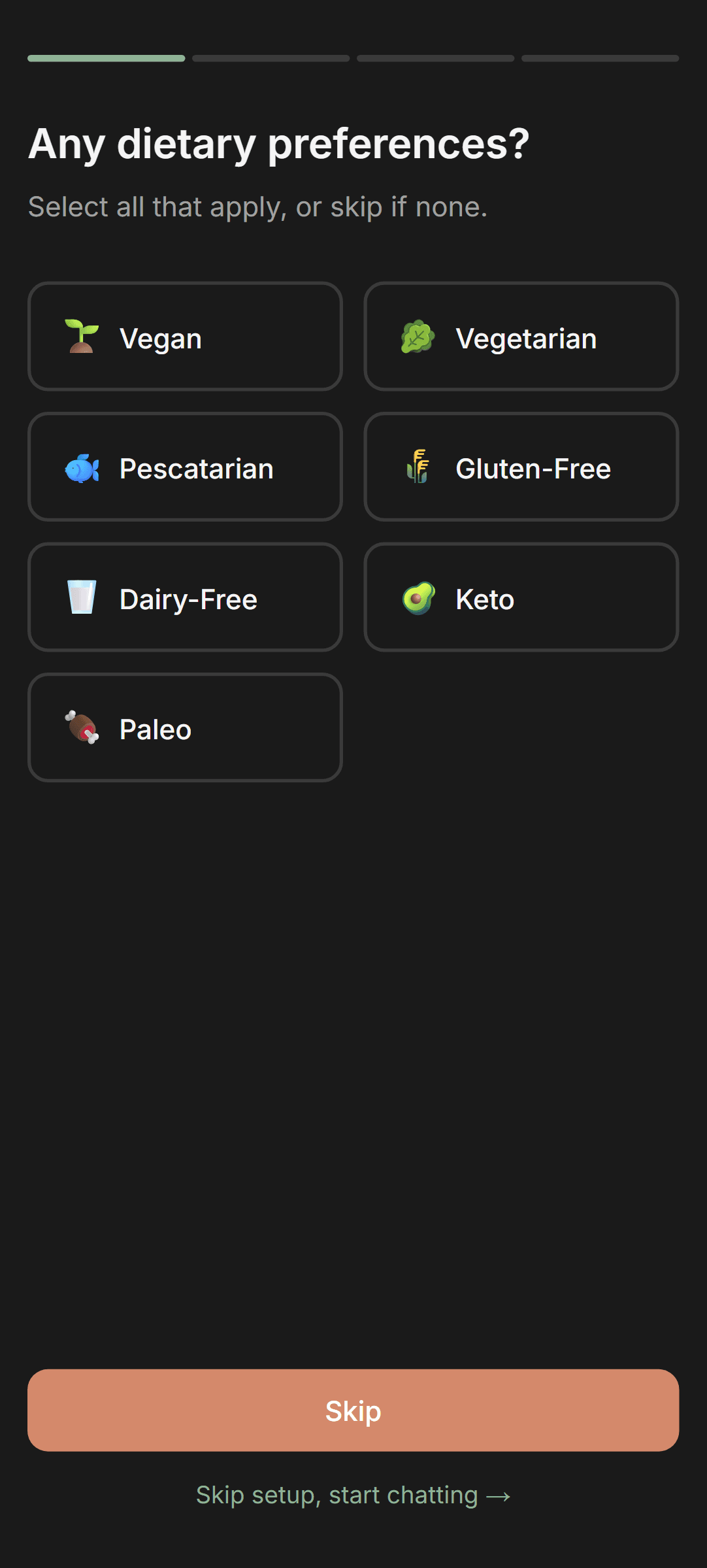
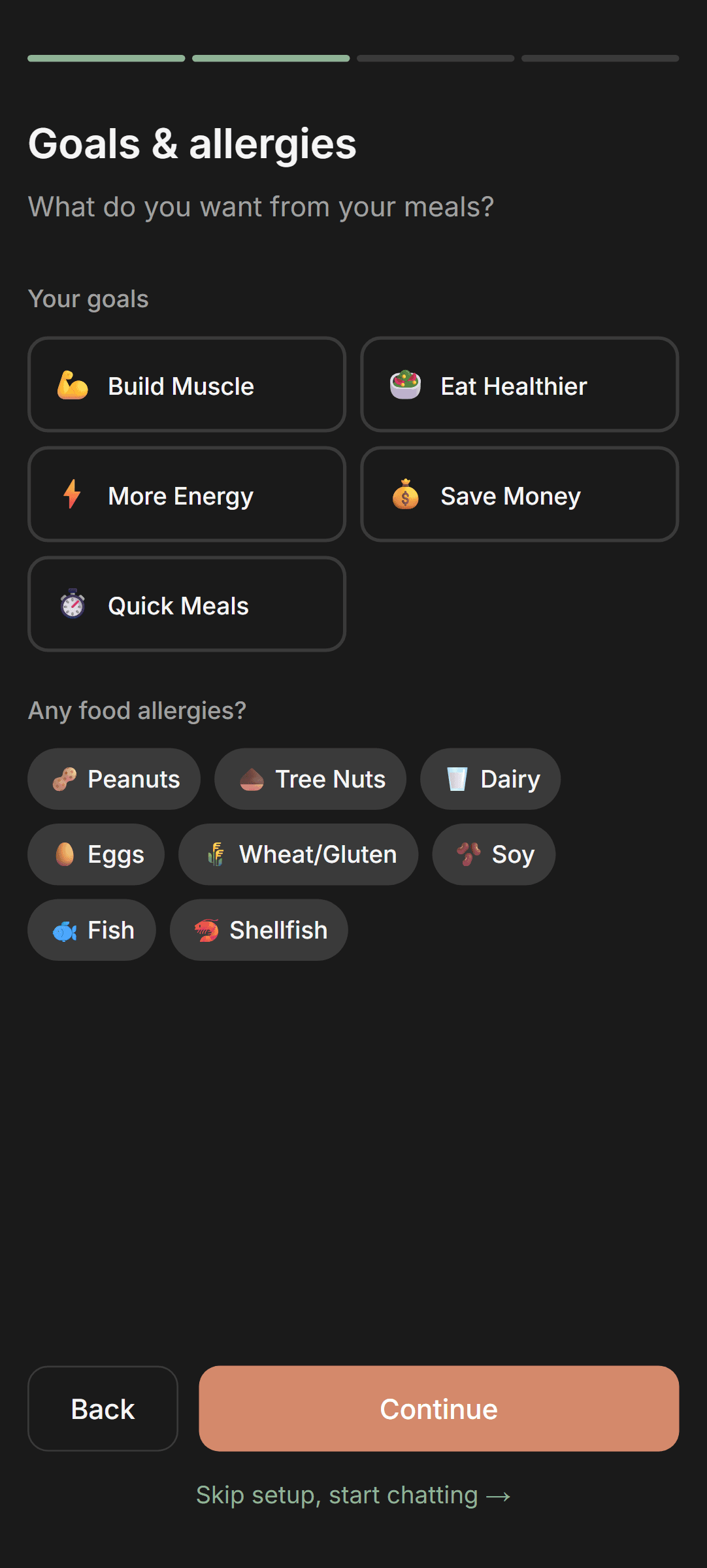
Complete Your Onboarding
When you first sign up, you can choose dietary preferences, allergies, and goals. MealThinker can use saved settings as planning context, but generated recipes are not an allergy-safety guarantee and still need your review.
Set Your Cooking Profile
In Preferences, set your cooking skill level, time per meal, budget, and household size. This tells MealThinker whether to suggest quick 15-minute meals or elaborate weekend projects.
Add Your Favorite Cuisines
Choose cuisines you enjoy, such as Italian, Mexican, Thai, or Indian. MealThinker can use those preferences when a request allows room for variety.
Set (or Auto-Calculate) Your Nutrition Targets
Enter age, weight, height, and activity level to receive estimated daily calorie and macro targets, or enter custom targets. These estimates are general planning aids, not medical advice.
List Your Disliked Foods
Hate cilantro or mushrooms? Add them to your disliked-foods list so they can be included as planning constraints. Review each suggestion because generated output can still be wrong.
Pro Tip
Saved preferences may reduce repetition, but the context used depends on the request and your current settings.
Pro Tip
You can update preferences later. Check About Me to review the profile, pantry summary, recipe signals, and notes currently saved to your account.
The AI Chat (Your Meal Planning Brain)
The chat is where the magic happens. Ask for a single meal, a full day's plan, cooking advice, or help using up ingredients. Here's how to get the most out of it.
Easy ways to start
Tell me what you feel like eating. I'll use the pantry and preferences you've already saved.
- Quick dinner
- Plan my day
- Use my pantry
- Plan my week
Serving Sizes & Leftovers
You can request 1-20 servings and choose Plan for leftovers. In week plans, MealThinker schedules the extra portions into later meals and counts their groceries once. Check the authored yield and ingredient amounts on the completed recipe before cooking.
Natural Language - Just Ask
Type what you need in plain language. These are examples:
Refine in Conversation
Recent messages in the current chat can support follow-up requests. If the context resets or a detail matters, state it again:
- 'Actually, make that vegan' - switches the suggestion
- 'Can you add more protein?' - adjusts the recipe
- 'What about something with my air fryer?' - factors in equipment
- 'Give me the full recipe for option 2' - expands a suggestion into a complete recipe
Pro Tip
Review your user-chosen use-soon reminders before a grocery run. They are planning reminders, not shelf-life estimates or food-safety verdicts.
Pro Tip
Mention specific equipment for targeted results: 'Air fryer dinner under 20 minutes' or 'Instant Pot meal prep for the week.'
Pro Tip
When MealThinker offers multiple meal cards, choose one to request the completed recipe you actually want.
Your Pantry (Plan from Saved Ingredients)
Your pantry is a user-maintained ingredient list. With pantry mode on, open-ended meal requests can prioritize saved items, but you should verify that the list and each recipe are correct.
Adding Items
There are three ways to add items:
- In Pantry, type an ingredient in 'Add an item...' and choose Add. MealThinker assigns a category, and you can choose an optional use-soon reminder.
- In Chat, ask MealThinker to add named items such as tomatoes, tofu, rice, and broccoli, then review the saved list.
- Use '+ Add many at once' to paste or type a list, review the parsed items, and confirm the entries you want to save.
Optional Use-Soon Reminders
Pantry dates are optional reminders you choose. MealThinker does not invent shelf-life dates, and reminder status is not a food-safety verdict:
- No reminder - the item remains available without a date assumption
- Upcoming reminder - highlighted as the date approaches
- Past reminder - separated from active pantry items for your review
Do not use a pantry reminder to decide whether food is safe. Follow official storage guidance and discard food when safety is uncertain.
Running Low Flags
Mark an item as running low to keep a visible restock list and add those items to your shopping list when needed.
Pantry-Aware Suggestions
With pantry mode on, open-ended meal requests can prioritize the ingredient names saved to your pantry. Review the completed recipe because suggestions may still require other ingredients or corrections.
Pro Tip
After shopping, ask Chat to add a named list or use Pantry directly. MealThinker categorizes items, but only you choose any use-soon date.
Pro Tip
Use running-low flags as a restock checklist; they do not prove that an item is unavailable.
Pro Tip
Review use-soon reminders regularly and decide what to keep or discard using appropriate food-safety guidance.
Start with a free 7-day dinner plan
Generate My Free PlanNo signup, email, or payment method required. Review each recipe's ingredients, yield, and nutrition estimates.
Meal Plans (Single Meal to Full Week)
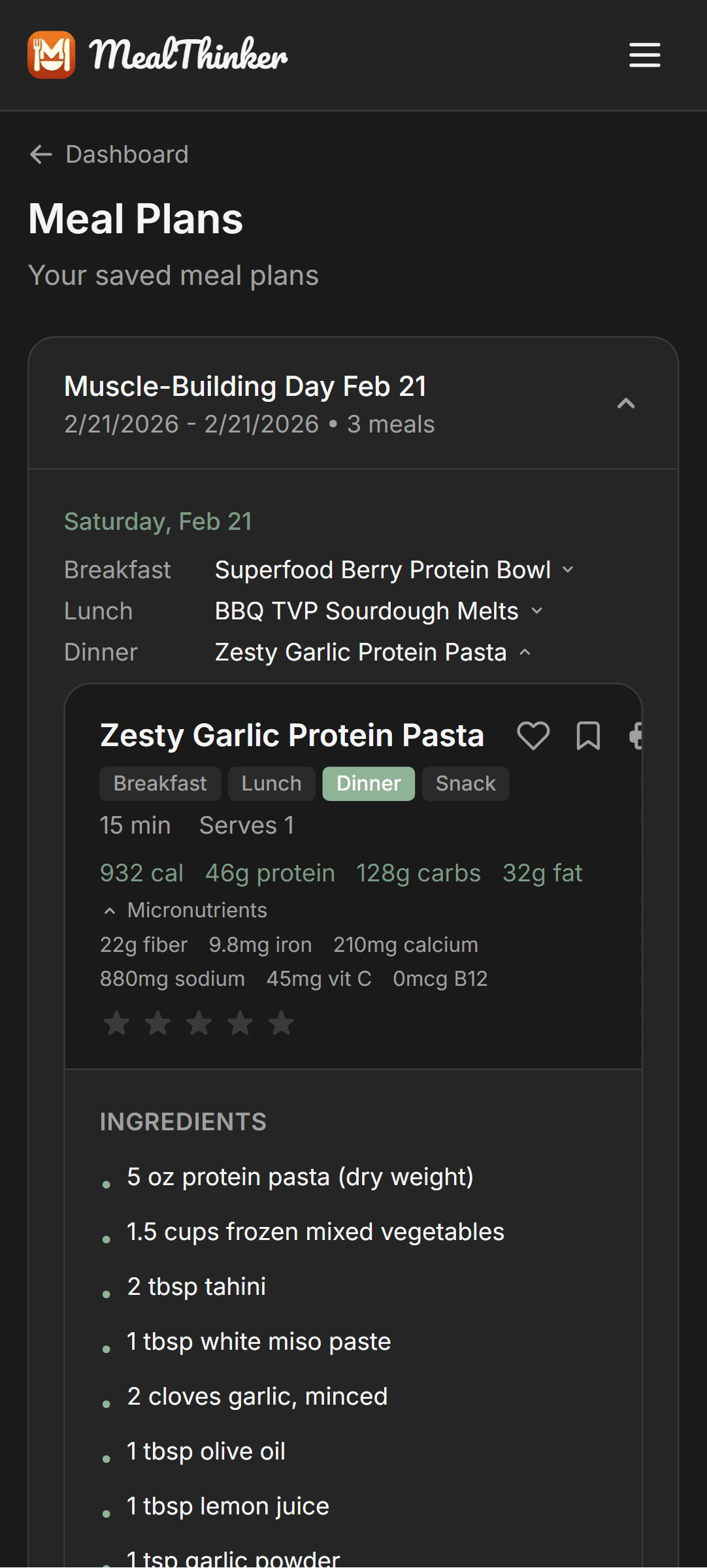
Request a single meal, a day of options, or a week plan. Completed plans can be saved when you choose to keep them.
Single Meals
Ask for the meal you need in plain language, including the meal type, serving count, time limit, ingredients, or other constraints that matter.
Full Day Plans
Ask for a full day of breakfast, lunch, and dinner options. When nutrition tracking is on, MealThinker sizes suggestions toward your saved daily targets; nutrition remains an estimate and exact target fit is not guaranteed.
Weekly Plans
Ask for a week plan to generate seven days of meal options. You can request variety or other constraints and should review every day before relying on the plan.
Saving & Reusing Plans
Saved weekly plans use a 'Week of' name based on the first meal date. Browse them anytime in the Meal Plans tab.
Review Before Saving
Review each meal option and completed recipe in Chat before saving a plan. If a slot is not right, revise the request before you keep it.
Generate Shopping Lists
Generate a shopping list from a saved plan. The workflow checks saved pantry names and can omit matched ingredients; review the list before shopping.
Pro Tip
Try a single-day plan first, review its recipes and portions, then expand to a week when the settings fit your needs.
Pro Tip
Turn pantry mode on and ask to use saved items when that matters. The pantry is user-maintained, so keep it current and check the result.
Recipes (Build Your Personal Collection)
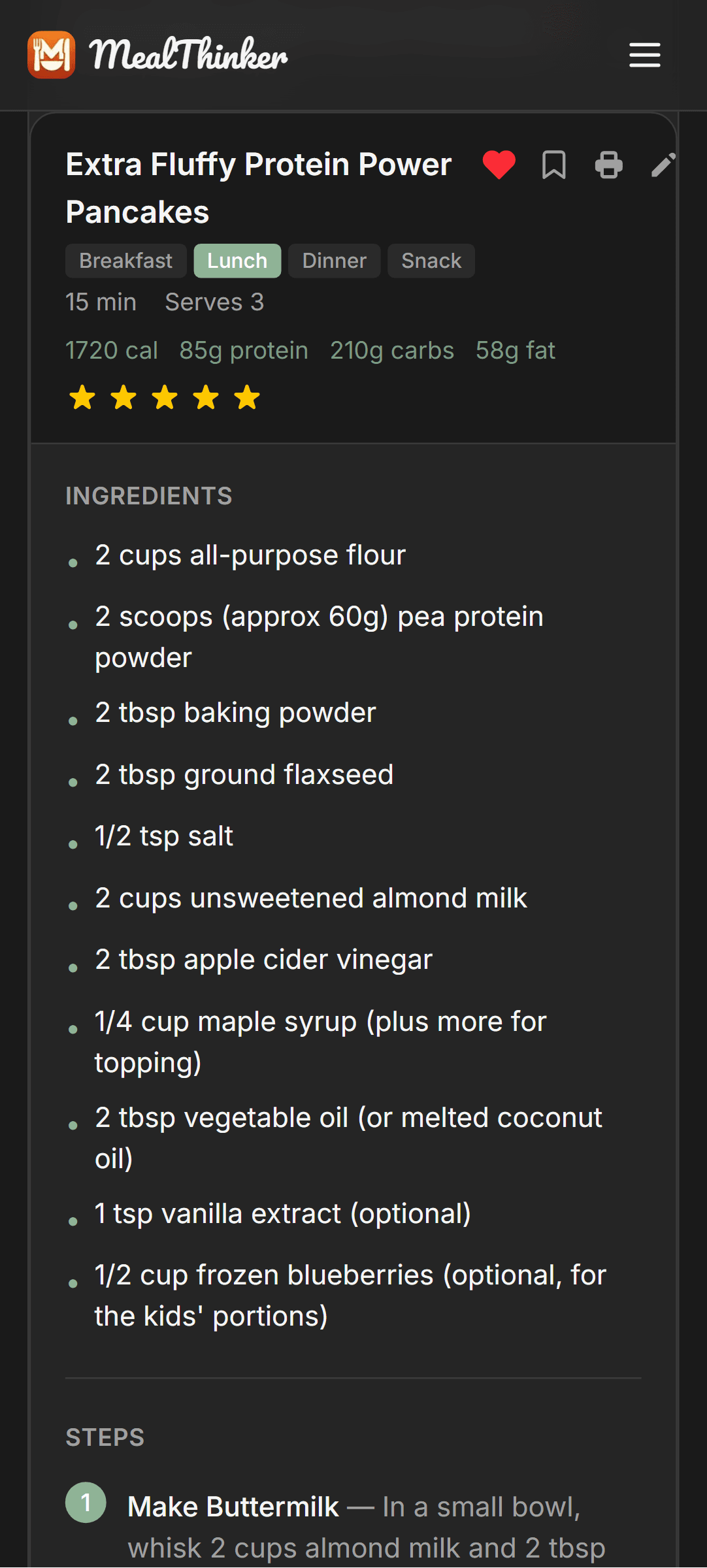
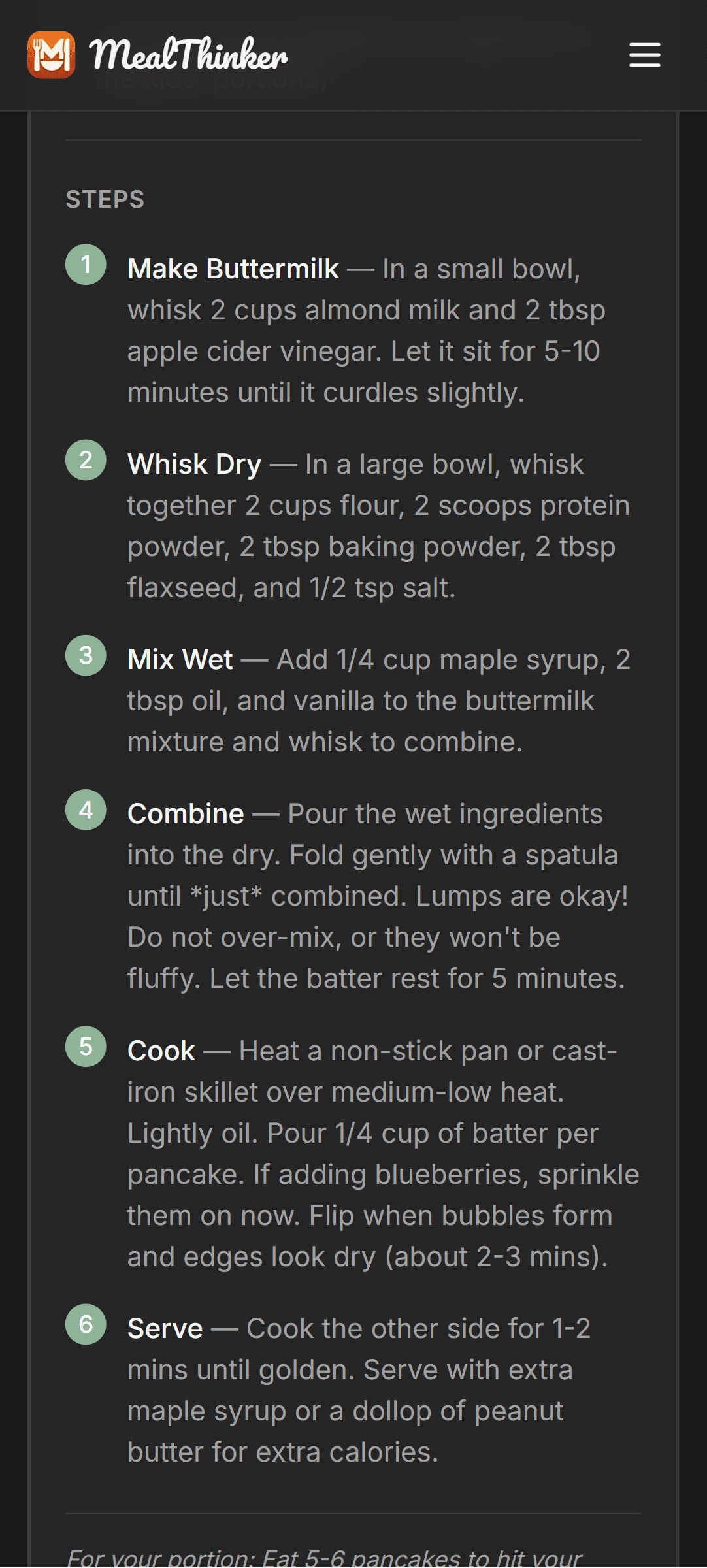
Completed recipes produced by the recipe flow are saved to your library, where you can review, edit, rate, favorite, or log them.
Your Recipe Library
Completed generated recipes are saved with ingredients, instructions, estimated nutrition, timing, and serving count. Check all details before cooking.
Rate Recipes (1-5 Stars)
After cooking a recipe, rate it. Ratings and favorites can be included as preference signals in later suggestions, but they do not guarantee a particular result.
Favorites & Want to Make
Mark recipes as 'Favorite' for quick access to your best ones. Use 'Want to Make' as a cooking bucket list - queue up recipes you're excited to try.
Personal Notes
Add a note to a saved recipe, such as 'Add extra garlic next time.' The note stays with that recipe until you edit or delete it.
Log as Eaten
Tap 'Log as Eaten' on a saved recipe to add its estimated nutrition to your meal log. Review the serving and values before treating the log as accurate.
Finding Recipes
Search by recipe name or ingredient and filter by meal type, favorites, want-to-make, star rating, pantry matches, or recipes using items with reminders due soon.
Pro Tip
Rate recipes you cook if you want those ratings available as signals for later suggestions.
Pro Tip
Use 'Want to Make' as a cooking bucket list. When you're stuck, ask the chat 'pick something from my want-to-make list.'
Pro Tip
Add notes like 'doubled the recipe for meal prep' so future-you remembers what worked.
Shopping Lists (From Plan to Store)
MealThinker groups shopping items by category. Plan-based lists can check your saved pantry, but you should review quantities, matches, and omissions.
Auto-Categorized by Aisle
Items are grouped into grocery categories such as Produce, Grains, Frozen, and Canned Goods. Correct any categorization that does not fit your store.
Generate from Meal Plans
Generate a list from a saved plan. MealThinker checks saved pantry names and can omit matched ingredients, so confirm the final list before shopping.
Smart Suggestions
Smart Suggestions can propose optional staples from saved profile settings and current pantry names. The screen highlights one 'Biggest unlock' and lists other picks as 'Also worth adding' for your review.
Check Off as You Shop
Tap items to mark them as purchased. Use the list on your phone while walking through the store.
Pro Tip
Use Smart Suggestions as a prompt, then compare it with what you have and what you actually plan to cook.
Nutrition Tracking (Review Your Estimates)
Log meals and compare estimated calories, macros, and selected micronutrients with your saved planning targets. These values are estimates, not medical advice.

Logging Meals
Log a saved recipe with its estimated values or describe another meal for an estimate. Check serving size and ingredients because a meal description may be incomplete.
Daily Macro Tracking
Progress bars compare logged calorie, protein, carb, and fat estimates with saved daily targets. Use them as planning context rather than a diagnosis or exact measurement.
Micronutrient Tracking
The log can display estimated fiber, iron, calcium, sodium, vitamin C, and vitamin B12. General profile-based targets may not fit an individual's medical needs.
Day-by-Day History
Navigate between dates to review what you logged and the estimates recorded for each day. Missing or incorrect logs will affect the comparison.
Using Today's Remaining Targets
When nutrition tracking is on, logged meals can inform the remaining calorie and macro targets used for later meal requests that day. Suggestions and nutrition values still require review.
Pro Tip
Treat nutrition totals as estimates. Ask a qualified professional for targets or guidance tied to a health condition, pregnancy, medication, or eating disorder.
Pro Tip
Accurate serving sizes and complete ingredient details make a meal log more useful; they still do not make it a clinical record.
See your nutrition in action
Check Trial EligibilityTrack estimated macros and selected micronutrients against planning targets you can review.
Personalization (Make It Truly Yours)
MealThinker can use specific settings and signals saved to your account. It does not remember everything, and every generated result still needs review.
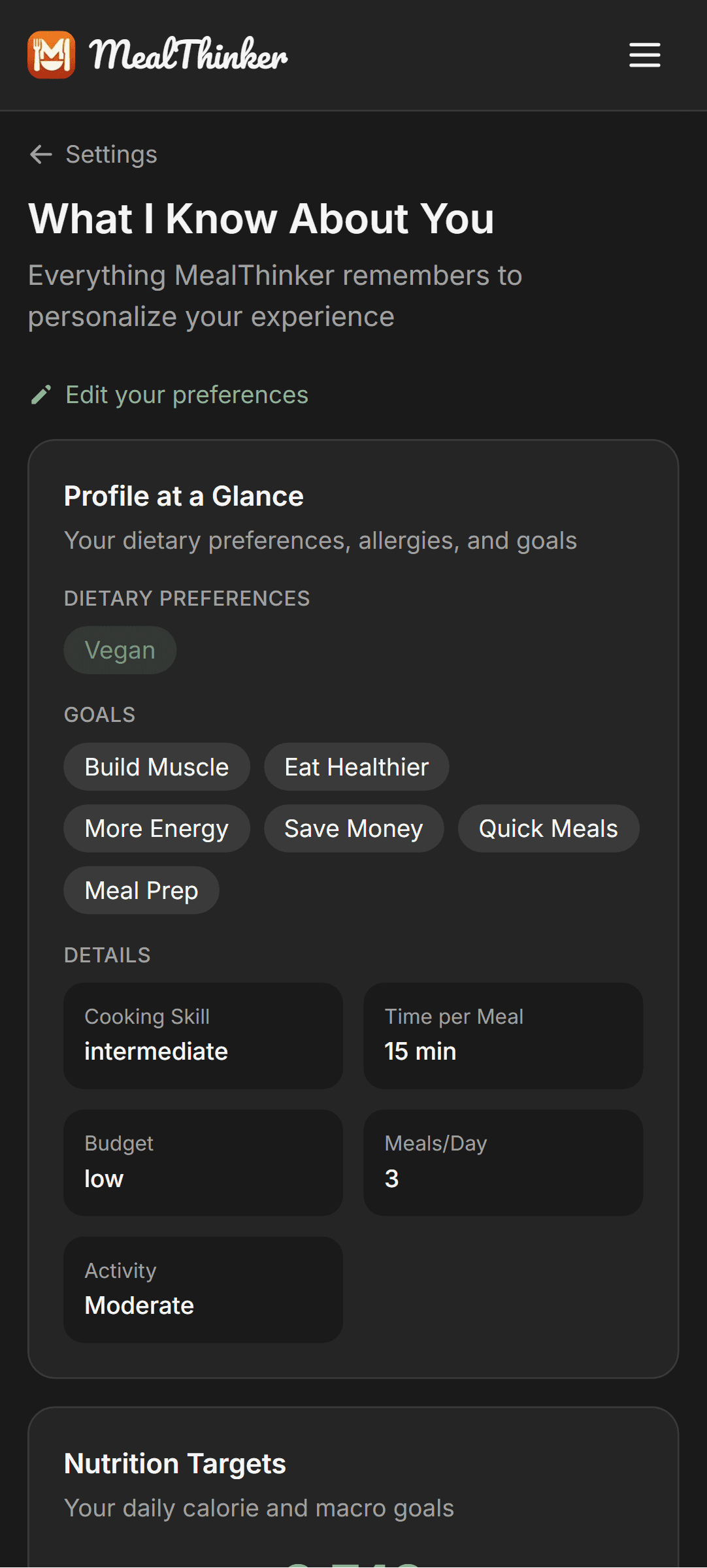
Preferences You Can Set
All available in the Preferences page:
- Dietary preferences: Vegan, Vegetarian, Keto, Paleo, Gluten-Free, Low Carb, High Protein, Whole30
- Allergies: Peanuts, Tree Nuts, Wheat, Soy, Sesame, and more
- Health goals: Build Muscle, Eat Healthier, More Energy, Save Money, Quick Meals, Meal Prep
- Favorite cuisines: American, Mexican, Italian, Chinese, Japanese, Indian, Thai, Mediterranean, Korean, Middle Eastern
- Kitchen equipment: Instant Pot, Air Fryer, Slow Cooker, Blender, Food Processor, Grill, Stand Mixer, Wok, Cast Iron, Sous Vide
- Cooking skill level, time per meal (15-60+ minutes), budget level, household size, meals per day
Remembered Notes
You can explicitly ask Chat to save a free-text note after providing the required sensitive-data consent. Saved notes remain until you delete them and may be used as context; they are not guaranteed to control every suggestion.
Your About Me Page
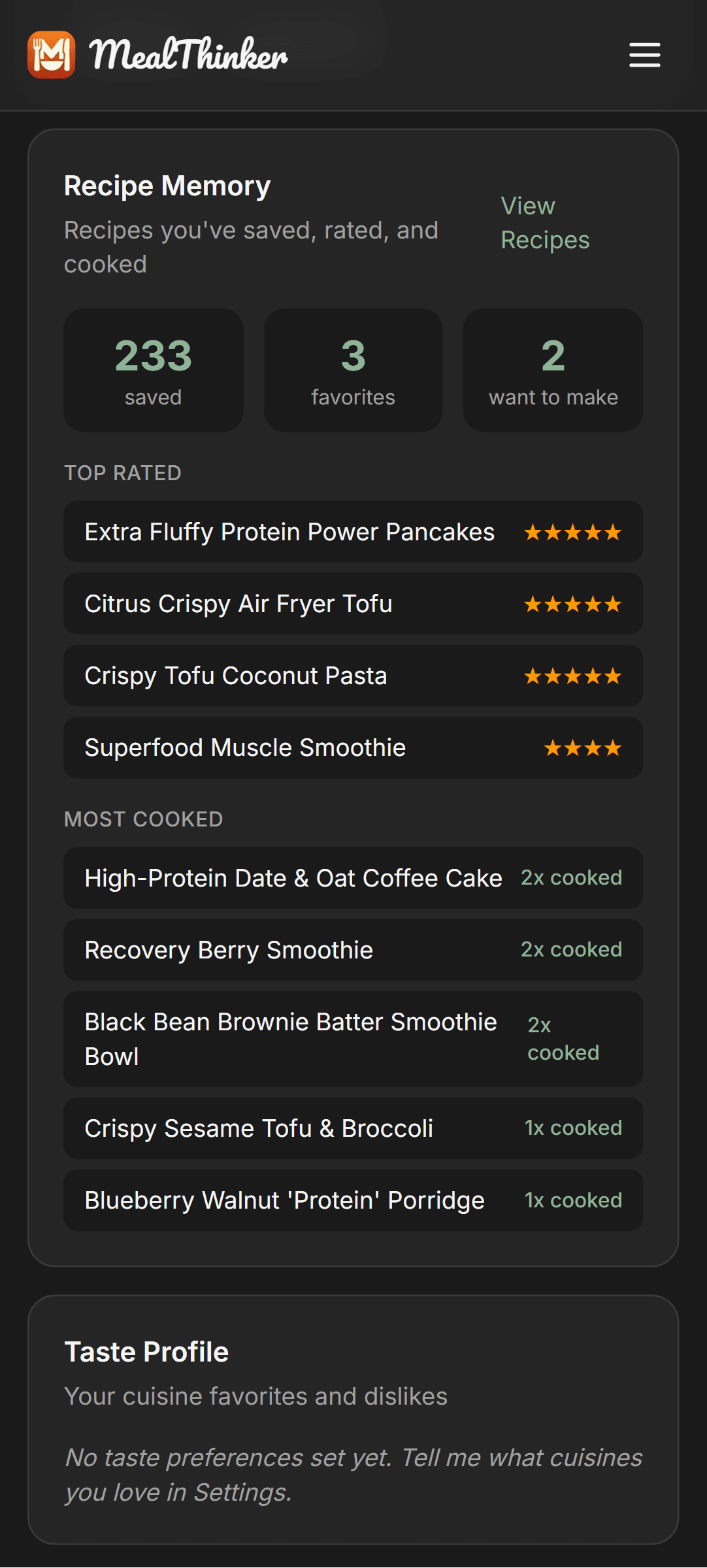
Visit About Me to review saved profile fields, planning targets, a pantry summary, recipe statistics, taste signals, notes, and usage statistics.
Pro Tip
Check About Me periodically. Update incorrect profile fields in Preferences and delete notes you no longer want saved.
Pro Tip
Store allergies in the dedicated Preferences field, not only in a free-text note, and always review recipes and labels yourself.
Pro Tip
Update your kitchen-equipment list when it changes so compatible requests can use it as planning context.
Free Tools (No Account Needed)
Use these standalone tools without creating an account. Each tool states its own inputs, output boundaries, and limitations.
Macro Calculator
Enter age, sex, weight, height, and activity level for estimated daily calories, macros, and selected micronutrient reference targets. Results are general planning estimates, not medical advice.
Try the Macro CalculatorGrocery Budget Calculator
Estimate monthly grocery spending from USDA food-plan inputs and your household assumptions. Actual prices and spending will vary.
Try the Grocery Budget CalculatorWhat's for Dinner?
Browse curated dinner ideas by dietary preference, cuisine, and occasion, with recipe-level nutrition estimates to review.
Try What's for Dinner7-Day Meal Plan Generator
Build a seven-dinner starter plan from MealThinker's current recipe collection, swap dinners, and print the plan and categorized shopping list. No signup, email, payment method, or live AI generation call.
Build a Free 7-Day Dinner PlanPro Tip
Share a free tool when someone wants to try a planning workflow without creating an account.
Ready to stop deciding what to eat?
Check Trial EligibilityEligible direct web accounts get a 7-day free trial. Payment method required. Then $15/month or $150/year.